
Harnessing n8n AI Tools and Agents Using ChatGPT: A Comprehensive Guide to Automate and Enhance Your Workflows
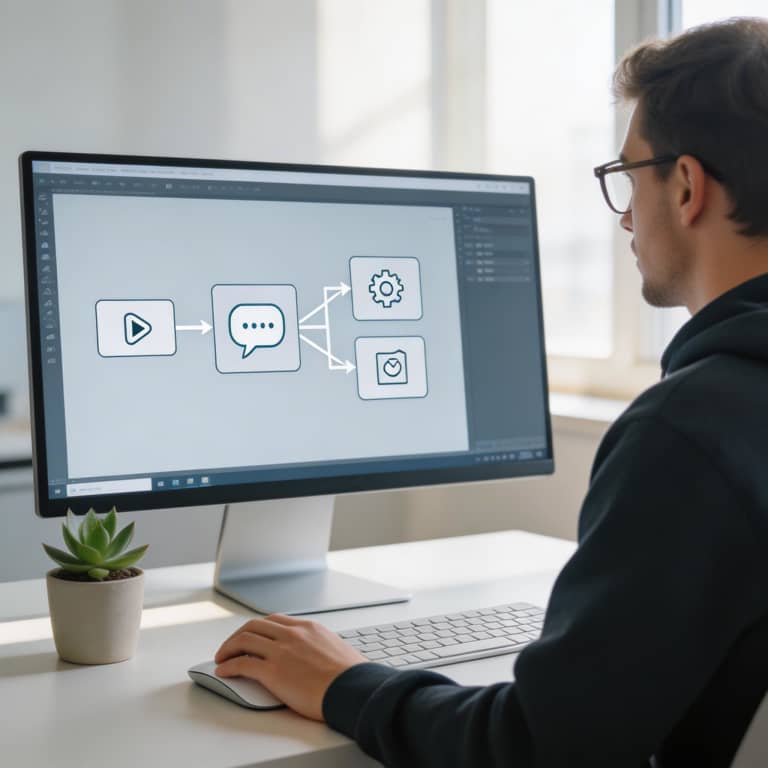
In today’s fast-moving digital world, automation is key to streamlining workflows and boosting productivity. n8n, a versatile open-source automation platform, lets users create highly customizable workflows with ease. Meanwhile, ChatGPT, OpenAI’s advanced conversational AI, brings powerful natural language understanding and generation to the table. By combining n8n AI tools and agents with ChatGPT, both businesses and individuals can build smart automation agents that handle complex tasks with clear logic and control. This powerful combination not only makes automated processes more efficient but also adds a user-friendly conversational layer, making workflow automation simpler and more dynamic than ever.
Understanding n8n and ChatGPT Integration
n8n is an open-source tool that helps you automate workflows by connecting different apps and services in a way you can customize. It’s perfect for automating repetitive tasks, linking APIs, and building complex data processes, all without needing deep coding skills. On the other hand, ChatGPT, created by OpenAI, is a cutting-edge language model that can understand and produce text that feels natural and human-like. Beyond just chatting, it’s great at generating content, summarizing information, and processing context-rich data. When you bring together n8n AI tools and agents with ChatGPT, you open the door to powerful automation that goes far beyond simple chatbots. This blend lets your workflows interpret, analyze, and create natural language content on the fly, leading to smarter decisions and smoother operations in a wide range of applications.
What is n8n?
n8n is an impressive workflow automation platform that makes it easy to link together countless apps and services through a simple, visual interface. Unlike many traditional automation tools, n8n provides a low-code environment, so people with all sorts of technical experience can create complex workflows without needing to be expert coders. This versatility means you can craft custom integrations and automations tailored specifically to your business or personal needs. By using n8n, you can simplify your processes, cut down on manual work, and boost productivity—all without a hassle.
Overview of ChatGPT Capabilities
ChatGPT is an advanced language model created by OpenAI that shines at producing text that feels natural and human-like based on the input it gets. By leveraging deep learning, ChatGPT not only grasps context but also generates clear, coherent replies and keeps conversations flowing smoothly. This makes it a great fit for many different uses. Thanks to its easy-to-use APIs, developers can effortlessly bring conversational AI into a variety of platforms and workflows, enabling things like automated conversations, content creation, and smart assistance. These features form the backbone when working with n8n AI tools and agents using ChatGPT to boost workflow automation and improve user interaction.
How n8n Enhances ChatGPT’s Functionality
n8n takes ChatGPT’s abilities to the next level by allowing AI agents to do much more than just produce text. It enables them to execute dynamic, actionable workflows. By connecting with a variety of APIs and automating updates in different systems, n8n turns ChatGPT into a powerful tool that can interact with external platforms, fetch real-time information, and carry out specific tasks automatically. This smooth integration lets users design advanced multi-step automations where ChatGPT not only generates and understands responses but also performs actions like updating databases, sending alerts, or handling cloud services. In essence, n8n bridges the divide between conversational AI and operational automation, helping businesses simplify and speed up complex workflows.
Building AI Agents with n8n and ChatGPT: Step-by-Step
Building custom AI agents with n8n AI tools and agents using ChatGPT makes automating complex workflows smooth and straightforward. Here's a simple step-by-step process to help you create your own agent:
- Set Up n8n Environment: Start by installing n8n on the platform of your choice and setting up your workspace.
- Integrate ChatGPT API: Within n8n, add an HTTP Request node to connect to the ChatGPT API. Enter your API key and configure the necessary headers.
- Design Workflow Logic: Use trigger nodes like webhooks or scheduled events to kick off your AI workflow. Chain nodes together to control how data moves and define when ChatGPT should respond.
- Configure ChatGPT Node: Provide prompts or messages as inputs to ChatGPT in your workflow. Tailor the prompt format to fit the task you want to automate.
- Process Responses: Capture and use ChatGPT’s outputs to carry out follow-up actions such as sending emails, updating databases, or creating reports.
- Test and Optimize: Run your workflow to verify it works correctly. Troubleshoot any problems and fine-tune your prompts to improve performance.
Following these steps lets you leverage n8n AI tools and agents using ChatGPT to build effective, automated workflows customized for your needs.
Setting Up Your n8n Environment
Getting started with n8n AI tools and agents using ChatGPT begins with properly setting up your n8n environment. You can install n8n either on your local machine or a cloud server, as it offers flexible deployment options to fit your preferences. After installation, open the n8n dashboard and create a new workflow. Then, connect the necessary credentials—like your OpenAI API keys—which are crucial for enabling ChatGPT features. To do this, head over to the Credentials section in n8n where you can safely input and manage these keys. Once your environment is ready and your credentials are linked, you’re all set to start building AI-powered agents and automating workflows with ChatGPT in n8n. This initial setup lays the groundwork for a smooth experience as you dive into more advanced AI-driven automations.
Connecting ChatGPT API to n8n
Connecting OpenAI's ChatGPT API to your n8n workflows opens up exciting possibilities for adding smart, AI-powered conversations to your automations. To get started, you'll first need an API key from OpenAI, which you can easily get by signing up on their platform and creating a secret key to access the ChatGPT API. Inside n8n, add an HTTP Request node set up to send POST requests to the ChatGPT endpoint. Make sure to include headers like 'Authorization: Bearer YOUR_API_KEY' and 'Content-Type: application/json'. Then, build the request body with the right dialogue parameters and prompts your workflow needs. By linking this node with other actions in n8n, you can design flexible workflows that let AI respond smartly, create content, or handle tasks based on natural language input. This smooth setup lets developers and automation pros take full advantage of n8n AI tools and agents using ChatGPT, boosting both productivity and user satisfaction.
Designing Multi-Step Reasoning Workflows
When you use n8n AI tools and agents with ChatGPT to design multi-step reasoning workflows, you open the door to automating complex decision-making with ease. Begin by outlining the logical sequence where ChatGPT takes in data, understands the context, and offers reasoning or suggestions based on the criteria you've set. Then, set up n8n nodes to carry out specific actions in your linked apps—like sending emails, updating databases, or creating tasks in project management software—driven by what ChatGPT generates. By connecting these steps, you create advanced workflows that not only analyze and make decisions but also act on them automatically, boosting both efficiency and accuracy in your business operations.
Testing and Deploying AI Agents
When working with n8n AI tools and agents using ChatGPT, it's essential to carry out thorough testing to make sure everything runs smoothly and reliably in a live setting. Start by running unit tests on each workflow to confirm that every node behaves correctly. Try out different input scenarios, including edge cases, to see how your AI agents handle various situations. Make good use of n8n's execution logs and error tracking to catch and fix problems early on. It also helps to set up a staging environment that closely matches your production system, so you can deploy and observe your agents without affecting your live operations. Once deployed, keep a close eye on performance with automated alerts and monitoring tools to spot any unusual issues and keep things running efficiently. By sticking to these practices, you can deploy your n8n AI tools and agents using ChatGPT confidently, ensuring your workflows stay efficient and free from unexpected disruptions.
Key Advantages of Using n8n for ChatGPT AI Agents
When integrating AI features like ChatGPT into your workflows, n8n AI tools and agents using ChatGPT bring some clear benefits compared to using ChatGPT alone or other AI platforms. For starters, n8n is open-source, which means you have the freedom to customize and tweak the AI agents exactly to fit your specific business requirements, without being stuck with the constraints of proprietary software. Plus, n8n’s visual workflow builder makes setting up automations straightforward, so both technical experts and beginners can easily create workflows—a nice change from the often steep learning curve of direct API integrations or other complicated platforms. Another great feature is n8n’s wide range of ready-to-use integrations, letting you smoothly connect ChatGPT with numerous apps, databases, and services to build powerful, all-in-one automated workflows. On top of that, n8n supports on-premises deployment, giving you more control over data security and compliance, which is essential for companies dealing with sensitive info. By combining ChatGPT’s advanced conversational AI with n8n’s strong automation tools, users can build smarter, more scalable, and secure AI solutions that go beyond what stand-alone AI tools or traditional integrations can offer.
Safe and Controlled AI Integration
When using n8n AI tools and agents powered by ChatGPT, ensuring a safe and well-managed environment is essential. n8n comes equipped with strong security measures that keep automation workflows within set limits, helping to prevent unauthorized access or data breaches. Users have the ability to set detailed access permissions, use encryption, and keep audit logs to closely track AI-driven activities. Additionally, n8n supports custom checks and error handling within workflows, allowing teams to spot and address potential problems early on. This careful, organized method not only protects sensitive data but also builds confidence in AI-driven automation, making it safer to bring ChatGPT’s abilities into everyday business operations.
Scalability and Flexibility
A key highlight of n8n AI tools and agents using ChatGPT is their impressive scalability and flexibility. Built to handle enterprise-level workflows, n8n can easily expand from managing simple automations to handling complex, multi-step processes with large data volumes and numerous integrations. Whether you're automating just a few tasks or coordinating thousands every day, n8n adjusts smoothly to your workload without losing performance. On top of that, n8n's open and extensible design lets businesses tailor and tweak workflows to suit different industries and specific needs. This level of flexibility means organizations can keep evolving their automation approaches, incorporating new AI features and streamlining processes efficiently as their demands increase.
Connecting Multiple Apps and APIs
n8n AI tools and agents using ChatGPT really stand out when they tap into the vast array of integrations available with different apps and APIs. Right from the start, n8n supports hundreds of services, including popular platforms like Google Workspace, Slack, and Twitter, as well as more specialized APIs for databases, CRMs, and payment processors. This wide range of compatibility makes it easy for users to link ChatGPT’s powerful AI features—such as natural language understanding and automated content creation—with the tools and workflows they already rely on. By smoothly coordinating data flow between these apps, n8n helps automate complex processes like managing customer support tickets, handling social media activities, and enriching data, all boosted by the smart responses and insights ChatGPT provides.
Enhanced Automation Beyond Text
When you use n8n AI tools and agents powered by ChatGPT, automation isn't just about creating text—it goes much further. These smart agents can trigger real-world actions smoothly, boosting your workflow's efficiency. For example, an AI agent might update your CRM automatically whenever there's a new customer interaction, keeping your records accurate without you having to lift a finger. They can also send personalized emails triggered by specific events, like following up on a lead or confirming appointments, which saves you a lot of time. Handling complex workflows becomes much simpler, too, as n8n agents manage tasks, approvals, and connect various apps to build a seamless automated system. This kind of automation not only cuts down on mistakes but also frees your team to concentrate on more strategic work.
Comparing n8n AI Agents and Standalone ChatGPT Solutions
When deciding between n8n AI tools and agents that use ChatGPT and standalone ChatGPT solutions, there are a few key things to keep in mind, such as the use cases, efficiency, and how much customization you need. n8n’s AI agents shine when it comes to automating workflows—they let you connect ChatGPT seamlessly with different data sources, APIs, and third-party services. This makes them perfect for more complex tasks that involve multiple steps and triggers. Meanwhile, standalone ChatGPT solutions focus on providing direct conversational AI without the need to manage workflows, making them a great fit for simpler tasks like customer support or content creation. Efficiency-wise, n8n AI agents can take over repetitive work and cut down on manual inputs by coordinating several actions automatically. On the flip side, standalone ChatGPT requires more hands-on interaction for each question or request. When it comes to customization, n8n offers a clear advantage with its visual drag-and-drop interface, letting you shape AI responses within larger business processes. Standalone ChatGPT solutions usually limit customization to tweaking the prompt itself. In the end, your choice boils down to whether you want powerful integrated automation with lots of customization (n8n AI tools and agents using ChatGPT) or a straightforward conversational AI right out of the box.
Use Case Suitability
When looking at n8n AI tools and agents that use ChatGPT, it’s helpful to recognize what sets them apart from simple ChatGPT setups. n8n-based agents truly shine in situations that demand complex workflow automation, collecting data from various sources, and handling tailored task sequences. For example, businesses that want to automate multi-step workflows—like routing customer support tickets while enriching data in real-time—will find basic ChatGPT on its own isn’t quite enough. ChatGPT is great for conversational AI, but it doesn’t come with built-in features to smoothly connect with other applications or manage workflows with conditional logic. That’s where n8n steps in, allowing users to build custom pipelines that incorporate ChatGPT within a wider automation framework. This enables advanced capabilities such as creating responses triggered by particular events. So, companies looking to boost their operational efficiency and take automation to the next level will benefit a lot more by using n8n AI tools and agents powered by ChatGPT rather than just sticking with basic ChatGPT solutions.
Complex Workflow Handling
A key strength of n8n AI tools and agents using ChatGPT is how smoothly they handle complex workflows. Thanks to multi-step automation, users can set up sequences that automatically take care of a variety of tasks, cutting down the need for manual work. The platform’s ability to branch logic means workflows can change direction based on specific conditions and responses, allowing for the creation of dynamic processes that smartly react to different inputs. This level of flexibility not only boosts efficiency but also ensures workflows align perfectly with detailed business needs, offering a robust solution for sophisticated automation challenges.
Ease of Use and Learning Curve
When diving into n8n AI tools and agents using ChatGPT, one of the biggest advantages is how user-friendly they are for developers. Unlike many automation platforms that demand heavy coding skills, n8n features a visual interface where you can build complex workflows simply by dragging and dropping elements. This makes it much easier for professionals who don’t have a strong coding background to get started. That said, to unlock the full power of these AI tools and agents, some grasp of automation principles and ChatGPT’s API is necessary. Beginners can quickly create basic workflows, but those looking to explore advanced capabilities like custom integrations or dynamic content generation might need to spend some time learning JavaScript and how to manage APIs. In the end, the learning curve strikes a good balance—offering both accessibility for newcomers and depth for experienced users, making n8n AI tools and agents a robust yet approachable way to automate and improve workflows with ChatGPT.
Resources and Templates to Get Started with n8n and ChatGPT
If you're looking to jumpstart your work with n8n AI tools and agents using ChatGPT, tapping into curated resources and ready-made workflow templates can make all the difference. A great place to begin is the official n8n documentation, packed with step-by-step guides and API references that help you smoothly connect ChatGPT to your workflows. Don’t overlook the n8n community forum—it's a treasure trove of shared experiences, helpful workflows, and practical troubleshooting advice from fellow users. On top of that, GitHub hosts several repositories filled with customizable n8n AI workflow templates. For those just starting out, templates like the "ChatGPT-powered email responder" or "AI-driven data enrichment workflows" can save you loads of setup time. By integrating these valuable resources into your projects, you’ll speed up deployment and unlock the full power of combining n8n with ChatGPT.
Official n8n AI Agent Workflows
n8n.io provides a collection of official example workflows that clearly show how powerful and flexible n8n AI tools and agents using ChatGPT can be. These workflows act as handy templates and sources of inspiration, making it easier to automate complex tasks with little effort. For example, the 'ChatGPT Content Generation' workflow demonstrates how you can automatically create marketing content, blog drafts, or social media posts by combining ChatGPT with n8n's triggers and actions. Another great example is the 'AI-Powered Customer Support Agent,' which uses ChatGPT to understand incoming questions and deliver real-time assistance through automated responses. There are also workflows like 'Sentiment Analysis and Reporting' that blend ChatGPT’s natural language capabilities with data processing elements to provide valuable business insights. By exploring these official workflows on n8n.io, you can speed up your automation projects and discover creative ways to integrate AI agents into your specific business needs.
Community Tutorials and Guides
If you're excited to explore n8n AI tools and agents using ChatGPT more thoroughly, there's a wealth of community-created tutorials and guides ready to help. Sites like Medium feature in-depth articles that simplify complex workflows and highlight creative ways to use these tools. LinkedIn groups offer professional conversations and step-by-step instructions, making it easy to learn from experts in the field. Over on Reddit, enthusiastic n8n users share tips, code snippets, and troubleshooting help in dedicated threads, creating a supportive space for learning together. Plus, a variety of tech blogs keep publishing fresh content focused on getting the most out of n8n paired with ChatGPT, making these resources essential for both newbies and experienced users looking to streamline and improve their automation projects.
Open Source and Third-Party Integrations
One of the biggest benefits of using n8n AI tools and agents with ChatGPT is the wide range of open source and third-party integrations available. n8n’s flexible automation platform makes it easy to connect with many external services like Google Sheets, Slack, and various CRM systems, boosting the power of ChatGPT-driven workflows. These integrations let you automate data fetching, trigger AI-generated responses when external events happen, and smoothly sync outputs across different platforms. Plus, since n8n is open source, its community constantly contributes improvements and custom nodes, making it even easier to customize ChatGPT’s features to fit specific business needs.